Recognizing Phishing: How to Identify and Avoid Fraud Attempts in Applications
Understanding Phishing Threats
In our increasingly digital world, phishing attacks are becoming more sophisticated and prevalent. These malicious attempts to acquire sensitive information can manifest through emails, texts, or within various applications. As cybercriminals continuously refine their tactics, it’s essential for internet users to recognize the signs of phishing in order to safeguard their personal data effectively.
Common Phishing Techniques
- Email phishing: Fraudsters often disguise themselves as legitimate entities, such as banks or social media platforms. For example, an email might appear to come from your bank, complete with logos and formatting, prompting you to “verify your account” by clicking a link that leads to a counterfeit site designed to steal your credentials.
- Smishing: This method involves phishing attacks via SMS, where scammers send text messages that may claim you’ve won a prize or need to confirm an account. A common tactic includes links that, when clicked, lead to malicious websites or prompt the download of harmful apps.
- Vishing: Voice phishing utilizes phone calls to lure victims into providing information. For example, a caller might impersonate a representative from the IRS, insisting on immediate payment of back taxes under the threat of legal action, thus pressuring victims into revealing sensitive data.
Phishing is not just a nuisance; it can lead to significant financial and personal loss, impacting individuals and businesses alike. Victims may face identity theft, where their personal information is used to open credit accounts in their name, incurring debts that can take years to resolve. Additionally, financial fraud can occur, leading to direct monetary losses. In some cases, businesses may suffer from security breaches that compromise sensitive client data, leading to reputational damage and loss of consumer trust.
Identifying Phishing Red Flags
- Suspicious links: It’s important to hover over links before clicking to check the actual URL. Many phishing attempts disguise URLs to look legitimate, so verifying the link can help you avoid malicious sites.
- Urgent requests: Phishing attempts often create a false sense of urgency, demanding immediate action. Emails that claim your account will be locked unless you click a link to verify your information are often fraudulent.
- Generic greetings: Emails from legitimate companies typically address you by name. Phishing emails may use vague greetings like “Dear Customer,” which can be a red flag signaling that it is not from a trusted source.
By understanding these tactics and remaining vigilant, you can significantly reduce your risk of falling victim to these fraudulent schemes. Recognizing the nuances of each phishing type allows individuals to become more adept at spotting potential threats in their inboxes, text messages, and phone calls. You can further enhance your defenses by employing two-factor authentication and regularly updating passwords to protect what matters most.
Staying informed about evolving phishing strategies and utilizing resources provided by cybersecurity experts can add layers of protection for both personal and professional digital interactions. Don’t underestimate the importance of being proactive in the fight against phishing; the best defense is knowledge.
LEARN MORE: Click here to discover how to boost your focus with Pomodoro apps
Common Phishing Vectors in Applications
Phishing attacks are not limited to emails and text messages; they have also infiltrated applications, making it essential for users to be vigilant. With the growing reliance on mobile and web applications for banking, shopping, and personal management, understanding potential phishing vectors within these platforms can help users avoid falling prey to fraudsters.
Application Phishing Tactics
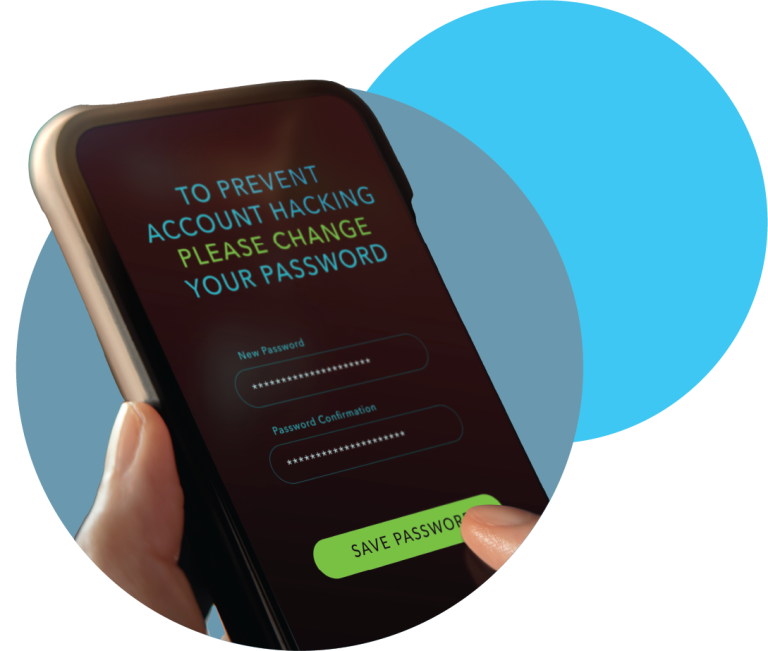
- In-app phishing: Some malware enables hackers to create fake login screens within legitimate applications. For instance, an unsuspecting user might enter their credentials into a phony login form that mimics their banking app. The captured information can then be transmitted directly to cybercriminals without the user realizing it.
- Malicious app downloads: Users often download applications from third-party sources or unsafe app stores. These applications may look harmless but can contain phishing mechanisms designed to extract sensitive data. For example, a seemingly fun game app could request access to recycling phone notifications, allowing it to intercept messages and other personal information.
- Social engineering in applications: Phishing doesn’t always involve deceptive links; sometimes, attackers will craft a scenario that persuades users to divulge their information willingly. This might occur through in-app chat support that appears legitimate but is controlled by an impersonator collecting user data.
Recognizing these tactics is crucial as they exploit users’ trust in familiar applications. Fraudsters know that users may let their guard down when interacting with applications they use daily, assuming that any request for information is legitimate. Hence, it is vital to always scrutinize permission requests from applications. Think twice before granting any app access to sensitive information, like your contacts or location, especially if the request seems excessive or unnecessary.
Best Practices to Combat Application Phishing
- Verify the source: Always download applications from official app stores like Google Play or Apple’s App Store. Check app reviews and developer credentials before downloading.
- Examine URLs carefully: If an application prompts a login, cross-reference the URL with the official website to confirm its authenticity. Phishing sites often employ slight variations in domain names that can easily be overlooked.
- Enable biometric authentication: Whenever possible, use features like fingerprint scanning or facial recognition for additional security. This can provide an extra layer of protection even if your credentials are compromised.
These practices not only bolster individual security but also contribute to a safer online community overall. By educating yourself and sharing knowledge about phishing tactics and preventive measures, you become a part of a larger defense against these fraudulent attempts, evolving in tandem with the ever-changing cyber landscape.
As we delve deeper into the realm of phishing, it’s essential to recognize the various forms it can take. Understanding the types of phishing attacks is crucial in order to develop effective strategies for avoiding them. Common tactics include spear phishing, where attackers target specific individuals; vishing (voice phishing), which uses phone calls to deceive; and smishing (SMS phishing) that exploits text messages. Each of these tactics has unique characteristics that can make them particularly insidious, as they often leverage personal information gleaned from social media or previous interactions.Another critical aspect of phishing prevention is the role of technology and software. Many applications now incorporate anti-phishing features designed to detect and block malicious activities. These tools can include browser extensions, advanced email filtering systems, and real-time alerts when suspicious links are clicked. Keeping software updated is equally important, as updates often include patches that protect against newly discovered threats. Awareness remains a powerful tool in combating phishing. Organizations should invest in employee training programs focusing on phishing recognition techniques and response procedures. Regular drills can prepare individuals to recognize anomalous requests for sensitive information or unusual patterns of communication. Sharing real-world examples of phishing incidents can also serve as effective training materials, helping individuals understand the potential consequences of falling prey to these scams.Leveraging public resources can greatly enhance one’s defense against phishing. Many websites provide lists of reported phishing attempts and tips for identifying fraudulent communications. For instance, the Anti-Phishing Working Group regularly updates its database with the latest phishing schemes, which individuals and businesses can consult. In summary, being informed about phishing tactics, employing effective technologies, participating in training, and utilizing public resources can significantly bolster one’s defense against these deceptive attempts. As cybercriminals continue to innovate, staying vigilant and well-prepared is essential for navigating the digital landscape safely.
DISCOVER MORE: Click here to learn about battery optimization tips
Red Flags and Warning Signs of Phishing in Applications
As technology evolves, so do the methods that cybercriminals employ to launch phishing attacks. Recognizing the subtle signs of phishing attempts within applications is fundamental for users aiming to protect their sensitive information. Here are some key red flags to watch for when interacting with applications.
Suspicious Messaging and Inconsistent Communications
- Urgency or threats: Legitimate communications will rarely convey messages that instigate panic or urgency. If you receive an alert demanding immediate action, such as updating payment information or verifying an account due to ‘suspicious activity,’ be on high alert, as this is a common tactic used by phishers.
- Generic greetings: Personalized communication helps establish trust. Pay attention to how companies address you; a message that starts with “Dear user” instead of your actual name can indicate a phishing attempt.
- Grammatical errors and typos: Professional organizations pay close attention to their communications. Messages containing numerous spelling or grammatical mistakes may be fraudulent attempts to extract information.
Trust your instincts if something feels off. Remember, genuine requests for sensitive information from trusted applications should feel seamless and secure, not stressful and ambiguous. If you encounter messages that raise doubts, consider contacting the company directly through their official channels for verification.
Inconsistent Design Elements
- Unfamiliar logos or branding: If an application suddenly showcases a different logo, color scheme, or graphical interface during a login attempt, proceed with caution. Cybercriminals often replicate legitimate application interfaces, but subtle differences can give them away.
- Unusual pop-ups: Beware of pop-up screens prompting you to input highly sensitive personal information. Reliable applications rarely use pop-ups to collect data; any such request merits scrutiny.
- Unexpected app permissions: If an application requests access to features that seem unrelated to its function—such as a flashlight app asking for camera access—this could signify malicious intent. Always evaluate app permissions critically to maintain control over your data.
Keeping an eye out for these indicators is not just about applying caution during app interactions; it’s also about cultivating an overall awareness of your digital surroundings. The more informed you are, the better equipped you’ll be to defend against increasingly sophisticated phishing tactics.
The Role of Security Software
In the age of rampant cyber threats, incorporating security software is crucial to safeguarding your devices against phishing attempts. Here’s how they can assist:
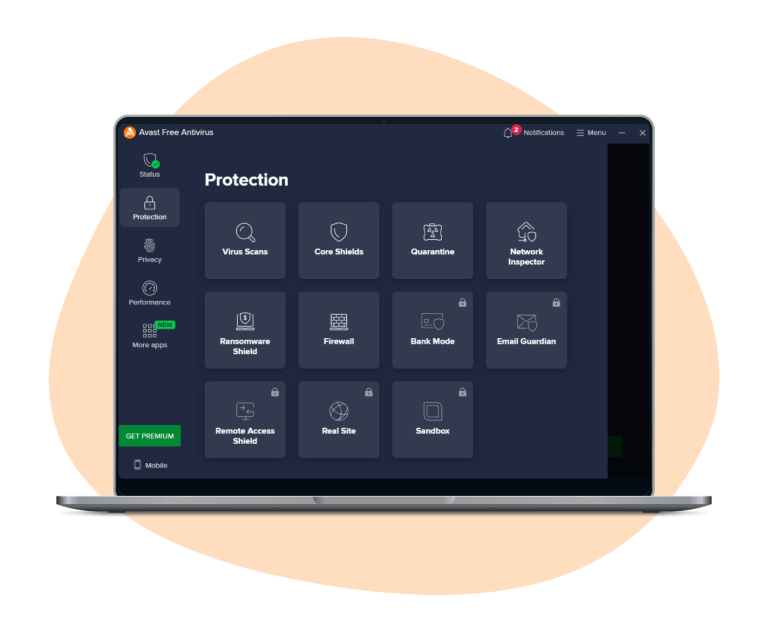
- Real-time protection: Advanced security solutions can warn you about dangerous websites and potentially malicious applications before you interact with them, blocking known threats.
- URL scanning: If you inadvertently click on a suspicious link within an app, security applications may obtain the ability to analyze the URL and determine its legitimacy.
- Data breach alerts: Some security tools offer features to notify users if their personal information has been involved in a data breach, allowing you to take swift action to secure your accounts.
Leveraging technology to reinforce your defenses against phishing is a proactive approach toward safeguarding your personal information. However, relying solely on software will not substitute the need for vigilance; users must continue educating themselves on phishing signs and the ways to mitigate risks in their daily app usage.
DON’T MISS OUT: Click here to enhance your time management skills
Understanding the Importance of Phishing Awareness
In an era where our digital footprints grow daily, equipping ourselves with the knowledge to recognize phishing attempts is no longer just advisable—it is essential. Cybercriminals continually innovate their tactics, making it increasingly necessary for users to be vigilant in spotting potential threats. An alarming statistic from the Federal Trade Commission (FTC) reveals that Americans lost over $1.9 billion to online scams in 2020 alone, underlining the importance of awareness and prevention.
Identifying Common Phishing Tactics
Users can sharpen their skills by identifying the key warning signs of phishing attempts. For instance, suspicious messaging often arises in the form of unsolicited emails or texts claiming to be from legitimate companies, urging immediate action to avoid account suspension. An example would be a message that appears to come from a well-known bank requesting verification of account details—these often contain urgent language designed to create panic.
Another red flag is inconsistent design elements. Phishing attempts frequently display poor grammar, awkward phrasing, or low-quality images compared to the polished branding of genuine companies. Users should closely examine URLs; fraudulent links may closely mimic authentic ones but usually contain subtle differences, like added characters or altered domains. Additionally, be wary of unexpected app permissions. A legitimate app shouldn’t request access to unrelated sensitive data—this could hint at malicious intent.
Staying Proactive and Educated
While robust security software does play a pivotal role in safeguarding personal information, it should not be the sole line of defense. Users must remain proactive, continually educating themselves about evolving cyber threats. Studies indicate that over 90% of successful breaches begin with a simple phishing email; therefore, maintaining a skeptical mindset towards unsolicited communications can significantly reduce risk.
In the fight against fraud, awareness, vigilance, and proactive measures are indeed your best assets. Take the time to explore additional resources on cybersecurity, such as government websites, reputable news articles, or informative webinars. As you equip yourself with knowledge, consider sharing your insights with friends and family. Empowering those around you creates a stronger community, capable of collectively resisting and combating cyber threats.