Best Password Practices: How to Create and Manage Strong Passwords on All Your Devices
The Importance of Strong Passwords
In an era where our personal, financial, and professional lives are increasingly conducted online, the security of our data cannot be overstated. Cybersecurity experts continually highlight that a staggering 81% of data breaches occur due to weak or stolen passwords. This alarming statistic underscores the need for everyone, from casual internet users to professionals, to adopt best password practices as a component of their digital hygiene.
Crafting a Strong Password
To start, one effective way to bolster your password security is to use a mix of characters. A combination of uppercase and lowercase letters, numbers, and symbols creates complexity that makes passwords significantly harder for attackers to guess. For instance, instead of simply using “Summer2023,” consider a more complex alternative such as “S@mm3r2023^Sky!” This approach not only adds strength but also makes it more difficult for automated hacking tools to break through.
Avoiding Common Pitfalls
Another crucial guideline is to avoid common passwords. Believe it or not, many individuals still rely on painfully obvious passwords like “123456,” “qwerty,” or “password.” Security experts often refer to these as “passwords to avoid,” as they are among the first to be tried in brute-force attacks. Tools like the “Have I Been Pwned” website can quickly inform you if your email address has been involved in a data breach and if any commonly used passwords have been compromised.
Unique and Diverse Credentials
It’s essential to remember that passwords should be unique for each account. Reusing the same password across multiple sites is like using a single key for your home, car, and office—if someone finds that key, they can access everything. For instance, if your email password is the same as your banking password, a breach in one could lead to devastating effects on the other.
The Role of Password Managers
While creating and remembering secure passwords can be a challenge, tools like password managers can greatly simplify the process. These applications securely store your passwords and are capable of generating complex credentials when needed. By utilizing a password manager, you not only enhance your security posture but also alleviate the mental burden of remembering dozens of complicated passwords. Popular options such as LastPass, Dashlane, and 1Password allow users to have different passwords across all accounts without the hassle of memorization.
Conclusion
As we navigate the complexities of the digital world, understanding how to craft and manage strong passwords is an empowering first step in protecting your online presence. By being meticulous about your passwords and considering tools that aid in their management, you will significantly reduce your susceptibility to cyber threats. Empower yourself with the knowledge and tools necessary to ensure that your digital life remains secure.
LEARN MORE: Click here to discover how to protect your device
Strategies for Creating Unbreakable Passwords
In today’s increasingly digital world, the security of our personal information relies heavily on the strength of our passwords. Crafting a robust password is like building a fortress to protect valuable assets from unwanted intrusion. Every individual must approach this task with diligence and creativity to withstand a variety of cyber threats. The first fundamental principle to understand is that length matters. Passwords that extend beyond 12 characters significantly heighten their strength. A longer password is exponentially harder to crack, providing a formidable barrier against potential attackers. For example, a combination such as “IloveP@rkDays&Coffee988!” exemplifies an approach that emphasizes both length and complexity, making it much more difficult for hackers to decipher.
The Importance of Passphrases
One effective method to enhance password security while also maintaining memorability is the use of passphrases. These are essentially longer and more complex strings of words or phrases that tell a story or convey a personal sentiment. For instance, instead of opting for a common four-character password, you could use a memorable sentence such as “MyDogLovesPizza&Fetch2023!” This strategy not only bolsters security by increasing length but also facilitates easier recall, removing the temptation to jot down passwords on sticky notes—an unsafe practice that can lead to breaches.
No Repeats: The Key to Security
Continuing with effective strategies, it is crucial to avoid reusing passwords across multiple accounts. Each instance of password reuse opens the door to serious vulnerabilities, especially given the high number of data breaches reported annually. To assist in remembering unique passwords, you might consider the following strategies:
- Mnemonic Devices: Create a memorable phrase or acronym from the first letters of each word to formulate a password. For example, “I Love My Bed” could become “ILMB!230”.
- Altered Spellings: Modify spellings or use lookalike symbols, such as substituting “@” for “a” or “3” for “e,” to create variations that are still personal yet secure.
- Associative Keywords: Link your passwords to specific services or websites. For example, a password for an online bookstore might be “Book$4Ever!” to uniquely tie it to relevant content.
Two-Factor Authentication (2FA)
Another vital consideration in safeguarding your digital presence is the implementation of two-factor authentication (2FA). Many online platforms, including banking apps and social media sites, now offer this additional layer of security. This system requires not only your password but also a second form of verification. This could be a code sent to your smartphone or generated by an authentication app, ensuring that even if a hacker manages to steal your password, they would still need another piece of information to gain access. Enabling 2FA can dramatically decrease your risk of unauthorized access, serving as an invaluable line of defense.
Regularly Update Your Passwords
Lastly, it is advisable to cultivate a habit of regularly changing your passwords, ideally every three to six months. This practice mitigates risks associated with accounts that could have been compromised without your knowledge. When you do change your passwords, remember to adhere to all the strong password principles highlighted here. Maintaining your digital fortress demands not only initial strong passwords but also ongoing vigilance and commitment. The energy you invest in securing your digital information today will pay dividends in peace of mind and privacy in an era where cyber threats continually evolve.
Creating Strong PasswordsWhen it comes to securing your online accounts, the first step is to ensure that you use strong passwords. A strong password is typically at least 12 characters long and combines a mixture of uppercase and lowercase letters, numbers, and special characters. Avoid using easily guessable information, such as birthdays or pet names. Instead, consider creating passphrases—sentences or phrases that are easy for you to remember but difficult for others to guess. For instance, “MyDog2Loves@8Tennis!” is much stronger than “doglover88”.Additionally, it is essential to use unique passwords for different accounts to minimize risk. If one password gets compromised, having unique passwords ensures that other accounts remain secure. Utilizing a password manager can facilitate the creation and storage of these complex passwords. Password managers can generate strong passwords for you and automatically fill them in when needed, which can be particularly useful when accessing various devices.Implementing Two-Factor AuthenticationIn addition to strong passwords, implementing two-factor authentication (2FA) is a vital practice. This feature requires users to provide two forms of identification before accessing their accounts, adding an extra layer of security. This may include a verification code sent to your mobile device or a fingerprint scan. By using 2FA, even if someone manages to obtain your password, they will still be unable to access your account without the second factor.Furthermore, regularly updating your passwords is crucial. A good practice is to change your passwords every three to six months. If you suspect that any of your accounts have been compromised, change your password immediately and enable 2FA if you haven’t done so already. Secure Your DevicesIn the age of mobile devices, it’s important to ensure that smartphones, tablets, and computers are secured. Enable automatic updates to ensure your software is up-to-date with the latest security patches. Utilize built-in security features such as fingerprint or facial recognition to add a layer of protection against unauthorized access to your devices.Be Wary of Phishing AttemptsLastly, always be cautious of phishing attempts. These scams attempt to trick users into revealing their personal information. Always check the sender’s email address and avoid clicking on suspicious links. A little vigilance goes a long way in protecting your passwords and personal information.By adhering to these best practices, you’ll not only create and manage strong passwords but also significantly enhance your overall online security. For those looking to deepen their understanding, exploring password management tools and staying abreast of the latest cybersecurity trends can be invaluable.
LEARN MORE: Click here to enhance your online safety
Tools for Password Management
As the number of accounts an individual holds increases, so does the complexity of managing unique and secure passwords for each. Fortunately, the rise of technology has borne an array of password management tools designed to streamline this process. These tools allow users to store, generate, and retrieve passwords with minimal effort while ensuring that each remains securely generated and unique.
Password Managers: The Digital Safeguard
Utilizing a password manager can be one of the best defenses against cyber threats. These applications securely store your passwords in an encrypted vault, allowing you to access all of them with a single master password. Popular options like LastPass, 1Password, and Bitwarden not only simplify maintaining strong, unique passwords but also offer features like password generation and security alerts for vulnerabilities. By running regular audits, password managers can notify you if any of your stored passwords have been involved in data breaches, prompting you to take precautions immediately.
Password Recovery: Planning Ahead
In creating and managing strong passwords, it is equally important to consider your recovery options. Unexpectedly losing access to a password can lead to a frustrating and time-consuming situation, blocking entry to critical accounts. To circumvent this, ensure that you have a recovery plan in place. Many platforms allow users to attach recovery email addresses or phone numbers to their accounts, making it significantly easier to regain access later. Additionally, storing the master password for your password manager securely, perhaps in a locked physical location, is crucial to ensuring you are not locked out of your digital vault.
Stay Informed: Recognizing Phishing Attacks
Beyond creating strong passwords, awareness and education about common cyber threats—particularly phishing attacks—are vital. Phishing is a method employed by cybercriminals where they pose as legitimate entities to trick users into revealing their passwords and personal information. Awareness campaigns highlight the need to verify the authenticity of emails or messages before providing any credentials. Avoid clicking suspicious links or downloading unexpected attachments, and always navigate directly to websites by typing in their addresses instead of using links. This will help ensure that you remain in control of your credentials and don’t fall prey to illicit tactics.
The Role of Biometrics
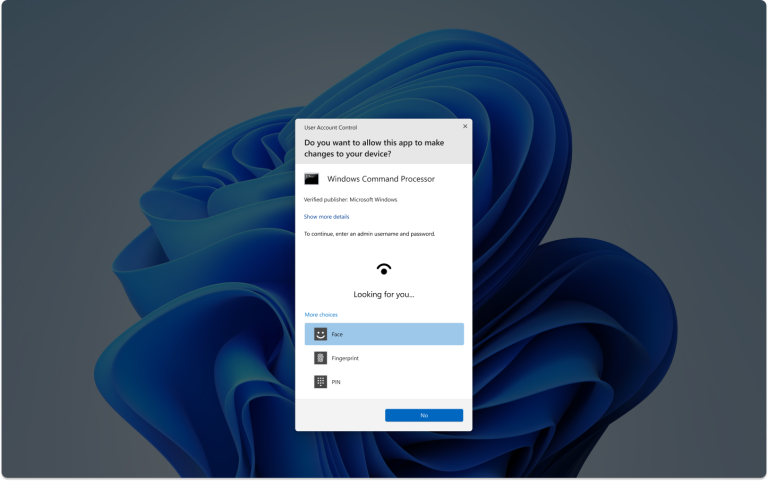
In addition to traditional passwords, many devices are now equipped with biometric authentication systems, such as fingerprint scanners and facial recognition technology. These options can provide a unique and secure alternative to password usage, offering speed and adopting multi-layer security. On devices that support biometrics, enabling this feature can enhance security and create an even more robust approach to account protection.
Monitor Your Digital Footprint
Finally, one often-overlooked aspect of password and account security is the monitoring of your digital footprint. Regularly checking if your accounts have been compromised through services such as Have I Been Pwned can provide valuable information about potential breaches. These insights not only guide password changes but can instill a proactive approach to dealing with security threats. A vigilant stance on password health and account security can significantly enhance your overall digital safety.
LEARN MORE: Click here for effective password management tips
Conclusion: Elevating Your Password Security
In today’s digital landscape, the significance of adopting best password practices has reached unprecedented heights. With individuals managing numerous online accounts—from social media platforms to banking services—creating and maintaining strong passwords acts as a crucial line of defense against cyber threats. Utilize password managers to navigate the complexities of password management. These tools not only generate robust passwords but also encrypt them, ensuring that even if data breaches occur, your credentials remain protected.
Furthermore, the rise of biometric authentication, including fingerprint scanners and facial recognition, provides an innovative layer of security that enhances the convenience of accessing devices and accounts. For example, a study from the CyberEdge Group found that the incorporation of biometric methods reduced the occurrence of unauthorized access attempts by 50% among organizations. This dual approach of creating complex passwords combined with biometric security can significantly fortify defenses against breaches.
However, relying solely on technological solutions isn’t foolproof. It’s vital to stay informed about ever-evolving threats such as phishing attacks, where malicious actors impersonate legitimate entities to deceive users into revealing confidential information. Always examine the authenticity of emails and messages before clicking on links or providing sensitive data. Regularly monitoring your digital footprint, such as checking bank statements and social media settings for any unauthorized activity, is equally important to identify potential risks early on.
- Two-factor authentication (2FA): An additional layer of security that requires not just a password but also a code sent to your phone or email.
- Creating unique passwords: Avoid using the same password across multiple sites; each account should have its own distinct password.
- Updating passwords regularly: Changing your passwords every three to six months can mitigate the risk of exposure.
Moreover, setting up recovery options for each account can ensure access in case of unforeseen circumstances, such as being locked out due to a forgotten password. This proactive approach keeps your vital accounts secure while maintaining accessibility.
In summary, employing a multifaceted strategy that includes strong password creation, effective management tools, and a keen understanding of potential digital threats empowers individuals to navigate the online world securely. As cyber threats continually evolve, it remains essential to stay vigilant and adaptable. By embracing these best practices today, you can significantly enhance your password security and safeguard your digital presence against the myriad of online vulnerabilities.