Strategies to Manage and Update Apps to Avoid Device Slowness
Understanding Mobile Device Performance
As mobile technology continues to evolve, our reliance on smartphones and tablets grows stronger, weaving them into the fabric of our everyday activities. Whether for social networking, work tasks, or accessing information, mobile devices have become indispensable. However, as users download numerous applications to enhance their experience, many find themselves grappling with device slowness, which can be frustrating and impede productivity.
The performance of mobile devices can degrade for various reasons, significantly impacting user experience. For instance, outdated apps often lack crucial updates that fix bugs or improve compatibility with the device’s operating system. Consider a scenario where a popular social media app receives a major update that optimizes its performance; users who delay this update may continue to face crashes or lag, while others enjoy faster load times and new features.
Another contributing factor to sluggish performance is excessive background processes. Many apps operate simultaneously, even when not in use, consuming vital resources like memory and battery life. An example of this can be seen when multiple streaming services or messaging apps remain active in the background, causing the device to work harder than necessary, ultimately draining performance and usability.
Furthermore, device storage issues arise as applications accumulate over time. Many users download apps that they may use infrequently or not at all, leading to app bloat. This accumulation of unused apps can quickly fill up storage, making it difficult for the device to operate smoothly. A smartphone with 64GB of storage that is almost full can result in slow response times and app failures.
Strategies for Enhancing Device Performance
<pFortunately, there are effective strategies that can help users keep their devices running smoothly. One of the simplest, yet most impactful, methods is to regularly update apps. Not only do updates often include security patches, but they also introduce new optimizations that enhance performance. Users can set their device to automatically update applications to avoid missing these important improvements.

Furthermore, considering the impact of unused applications, users should uninstall unused or rarely used apps. An inventory of installed apps can reveal those that no longer serve a purpose. Deleting these can significantly free up space and memory, providing a more efficient operating environment.
Lastly, taking advantage of built-in device tools to monitor app performance and memory usage can provide valuable insights. Many smartphones come equipped with settings that display which apps are using the most resources. This data allows users to make informed decisions about which apps to keep or remove, optimizing device speed and functionality.
By understanding and implementing these strategies, users can greatly improve their mobile experience, transforming their devices into efficient tools that enhance productivity and connectivity. With a few simple adjustments, it’s possible to enjoy a faster, more responsive mobile environment, leading to increased satisfaction in our ever-connected lives.
LEARN MORE: Click here to discover effective usability testing strategies
Simple Yet Effective Management Techniques
To effectively combat the issue of device slowness, users need to adopt simple yet impactful management techniques for their mobile applications. In a world where our smartphones are an extension of ourselves, it’s vital to ensure that these devices perform at optimal levels. Below are some proven strategies:
1. Regularly Check for App Updates
One of the most straightforward actions users can take is to regularly check for app updates. Most applications receive updates designed to improve functionality, performance, and security. Ignoring these updates could mean missing out on significant enhancements that could bolster speed and user experience. According to a report by App Annie, around 80% of people use only a handful of their apps, while approximately 20% of apps account for the majority of mobile usage. This discrepancy emphasizes the importance of actively maintaining the apps we rely on.
2. Automate Updates
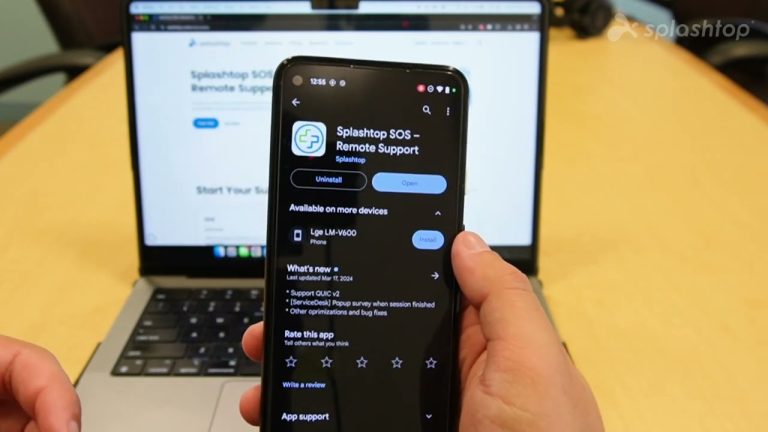
Another effective strategy is to enable automatic updates. By configuring your device to automatically download updates for installed applications, you mitigate the risk of forgetting critical updates. This can usually be found in the settings of your application store (such as Google Play Store or Apple App Store). With this approach, you can ensure continuous optimization without the constant reminder to check for updates manually.
3. Uninstall Unused Applications
The presence of unused applications can significantly contribute to device slowness. Therefore, conducting a periodic audit of your installed apps is advisable. Here’s a quick checklist to help you decide which apps to keep:
- Does the app serve a practical purpose in your daily routine?
- Have you used the app within the last month?
- Is there an alternative app that serves the same function but is more efficient?
By asking yourself these questions, you can identify unnecessary applications that clutter your device and drain its resources. A leaner app portfolio not only frees up valuable storage but also enhances overall performance.
4. Clear Cache Regularly
Many apps accumulate temporary data or cache to expedite their performance. However, an overabundance of cached data can inadvertently slow down your device. Regularly clearing cache from applications can lead to smoother performance. Most smartphones allow users to clear cache through settings, providing an easy pathway to optimize app efficiency.
5. Monitor Background Activity
Understanding which apps are running in the background is crucial for maintaining device performance. Many smartphones provide features to monitor background activity. By accessing your device’s settings, you can view which applications are consuming the most resources and decide whether to limit their functionality or uninstall them altogether. This practice not only prolongs your device’s lifespan but also significantly enhances its speed.
Implementing these actionable strategies will undoubtedly lead to a more efficient and responsive mobile experience. Staying proactive about managing and updating apps is key to preserving device performance, allowing users to navigate their connected lives with ease and efficiency.
Effective Strategies to Manage and Update Apps
Managing and updating apps correctly is crucial to maintaining optimal device performance. Here are several strategies that can help streamline this process and effectively reduce potential slowness:
| Category | Description |
|---|---|
| Regular Updates | Keeping apps updated ensures that you benefit from performance improvements and security patches, reducing the chances of slowness. |
| Uninstall Unused Apps | Removing apps that are rarely or never used can free up storage space and system resources, significantly improving device speed. |
| Optimize App Settings | Adjusting settings within apps can lead to lower resource consumption and a smoother experience overall. |
| Clear Cache Regularly | Periodic clearing of cached data can enhance app loading times and device responsiveness by ensuring that unnecessary files are not slowing down operations. |
Another effective strategy involves monitoring app performance metrics regularly. By understanding which applications consume the most resources, users can make informed decisions about which ones to update or potentially uninstall. Utilizing built-in features on most devices, such as performance monitoring tools, can provide valuable insights into managing your applications properly.Incorporating these strategies will not only enhance your overall user experience but also prolong the lifespan of your device by preventing it from becoming bogged down by unnecessary data and outdated applications. The importance of an efficient app management strategy cannot be overstated, as it leads to improved device performance and a better overall experience.
DIVE DEEPER: Click here to enhance your usability testing skills
Advanced Strategies for Optimal App Performance
As smartphone technology evolves, so too should our strategies for managing and updating applications. Beyond the basics of app maintenance, there are advanced strategies that can fortify device performance and ensure a seamless user experience. Here are additional methods to consider:
6. Utilize Lite Versions of Apps
For those who experience device slowness, opting for lite versions of popular applications can make a noticeable difference. Lite apps are specifically designed for lower bandwidth and storage, making them ideal for devices with limited capabilities. For example, Facebook Lite and Messenger Lite offer a simplified user experience without sacrificing essential features, resulting in faster load times and reduced resource usage. Leveraging these alternatives can free up precious space while retaining functionality.
7. Explore System Updates
Beyond just app updates, system updates can play a pivotal role in device performance. Operating systems often introduce optimizations that enhance multitasking, improve memory management, and fix bugs that may be affecting performance. Regularly checking for system updates in your device’s settings can help ensure you’re benefiting from the latest enhancements, contributing to overall speed and efficiency.
8. Manage Notification Settings
Excessive notifications from various applications can not only be disruptive but also slow down your device. By managing notification settings, users can minimize resource drain. Consider disabling notifications from apps that are not essential to daily operations, as this can reduce background activity and improve performance. Date revealed by Statista shows that users receive an average of 63 notifications per day, which can contribute to performance lag when apps compete for attention.
9. Reinstall Applications
Sometimes, an app may become bloated over time due to incomplete updates or accumulated data. In such instances, reinstalling the application can be a viable solution. By removing an app and reinstalling it, users can reset its temporary data and optimize its performance. This simple yet effective method may lead to an increase in loading speed and better overall functionality.
10. Use Optimization Tools
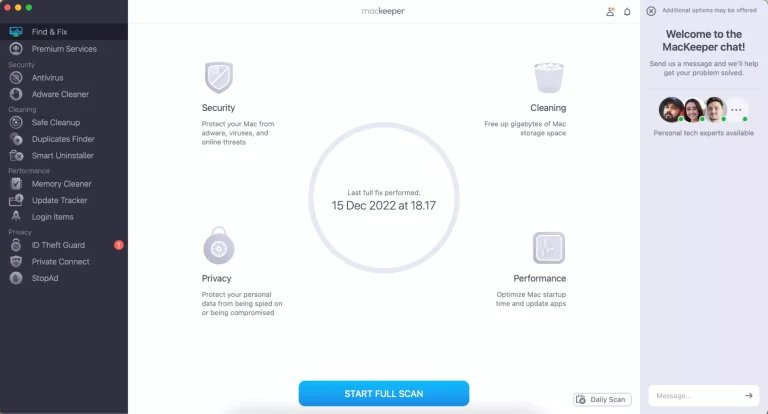
Various optimization tools are specifically designed to enhance smartphone performance. Applications such as CCleaner or Clean Master can help in managing cache, identifying redundant files, and freeing up space. These tools often provide quick fixes and detailed analytics on app behavior, allowing users to make informed decisions about their applications and identify any hidden issues leading to slowness.
11. Embrace Cloud Solutions
Finally, turning to cloud solutions can be a transformative strategy for managing app space. By using cloud storage for media files and documents, users can significantly reduce the burden on local storage. For instance, moving photos and videos to platforms like Google Drive or iCloud not only frees space but also enhances access speed by allowing you to offload large files without compromising your device’s operational capacity.
Employing these advanced strategies will help users maintain an efficient mobile experience, ensuring devices stay responsive and capable of coping with the demands of modern applications. As technology advances, adaptability becomes essential in keeping devices running smoothly, ensuring they remain effective tools in our increasingly digital lives.
DISCOVER MORE: Click here for insights on effective usability testing
Conclusion
In an era where smartphones serve as essential tools for communication, work, and entertainment, maintaining their optimal performance is crucial. By implementing effective strategies to manage and update apps, users can significantly mitigate issues of device slowness and enhance their overall mobile experience. The discussed methods, ranging from utilizing lite versions of apps to taking advantage of cloud solutions, emphasize the importance of proactive maintenance.
Effective app management is now more critical than ever, given that the average smartphone user engages with over 30 apps monthly, according to recent studies. Keeping applications updated not only improves performance but also boosts security, as many updates address vulnerabilities that can hinder device efficiency. Adopting advanced techniques, such as managing notification settings and reinstalling problematic applications, can further streamline processes and optimize system functionality.
Moreover, the integration of optimization tools can provide deeper insights into app usage patterns and resource allocation, allowing users to make informed decisions about which applications deserve their space and attention. Ultimately, it’s about striking a balance between functionality and resource management. As technology continues to advance, consistent adaptation of these strategies will ensure that devices remain responsive, efficient, and ready to handle our increasingly digital lifestyle.
By understanding and implementing these strategies, you will not only preserve device longevity but also enhance your daily interactions with technology, leading to a more satisfying and productive experience.

Beatriz Johnson is a seasoned tech writer and digital tools expert with a passion for simplifying the complexities of technology and mobile applications. With over a decade of experience in the tech industry, she specializes in topics like productivity apps, software reviews, and emerging digital trends. Through her work, Beatriz empowers readers to make informed technology choices and stay ahead in the ever-changing world of apps and innovation.