
Best Practices for Mobile Device Optimization: Enhancing Performance and Battery Life
Understanding the Importance of Mobile Device Optimization
Mobile devices are deeply intertwined with our daily lives, serving as hubs for communication, productivity, and entertainment. From checking emails on the go to streaming our favorite shows, these devices are indispensable. Yet, as demands on mobile technology increase, the need for optimization becomes more crucial. Enhancing your device’s performance and battery longevity can significantly improve your overall user experience, ensuring that your phone or tablet is always ready when you need it.
Several key factors play a pivotal role in determining “how well” your mobile device operates. Let’s delve deeper into these factors:
App Management
One of the most effective ways to optimize your mobile device is through app management. Regularly reviewing the applications you have installed can help free up storage and improve performance. Many users download apps they never use, leading to cluttered devices. For instance, uninstalling unused social media apps or old games can not only enhance speed but also reduce the strain on your battery. Additionally, ensuring that your apps are always updated is crucial—updates often contain performance boosts and important security patches that can protect your device.
Connectivity Options
Connectivity options like Bluetooth, Wi-Fi, and GPS can also significantly impact battery life. Keeping these services on at all times drains your battery faster than you might expect. For example, if you’re not using Bluetooth to connect to a speaker or headset, turning it off can result in a notable reduction in power consumption. Likewise, disabling location services when you’re not navigating can save battery while still keeping your device functional for daily activities. Consider organizing your settings by using “Airplane Mode” when you don’t need any connectivity; this setting temporarily disables all wireless transmissions.
Display Settings
Lastly, your display settings are another way to optimize both performance and energy use. Lowering screen brightness or enabling the adaptive brightness feature can protect your battery from excessive use. Also, adjusting the screen timeout setting—where the display turns off after a certain period of inactivity—can help prolong battery life, especially in situations where you might forget to lock your device. For example, setting your timeout to 30 seconds instead of a minute or longer could save a significant amount of battery life over the course of a day.
In conclusion, optimizing your mobile device is not merely a technical endeavor; it is an essential practice that enhances how you interact with technology daily. By employing strategies related to app management, connectivity options, and display settings, users can transform their devices into faster, more energy-efficient tools. These adjustments not only help maintain a smoother user experience but can also lead to a more sustainable use of technology, which is increasingly important in today’s world. As you continue to explore ways to maximize your device’s potential, remember that small changes can lead to significant improvements.
DISCOVER MORE: Click here to enhance your mobile experience
Maximizing Performance through System Settings
To achieve the best mobile device optimization, understanding your device’s system settings is essential. These settings allow users to control various features that can directly impact the device’s performance and battery life. Adjusting system preferences is often a game-changer, enhancing the responsiveness and efficiency of your device. Here are some key areas to focus on:
Reducing Background Activity
Many applications run processes in the background, consuming both processing power and battery life. By managing background activity, you can streamline your device’s operations. Consider taking these steps:
- Limit Background App Refresh: Disable or restrict background app refresh for apps that do not need constant updates. This can substantially conserve battery life while also speeding up your device.
- Close Unused Applications: Regularly checking your app switcher and closing apps that are not in use is a simple but effective tactic to keep your device running smoothly.
- Disable Syncing: Reduce the frequency of automatic data syncing for email, social media, and other applications. Opt for manual syncing to save both battery and processing power.
Operating System Updates
Keeping your device’s operating system up to date is a best practice that can significantly enhance performance and security. Manufacturers often release updates that fix bugs, improve efficiency, and enhance battery optimization. Regularly check for updates in your device’s settings and install them promptly. Ignoring these updates can lead to outdated security vulnerabilities and lagging performance.
Storage Management
Storage space is another crucial factor in mobile device performance. A nearly full storage can slow down your device considerably. Here are some ways to effectively manage your storage:
- Delete Unnecessary Files: Frequently review your downloads, photos, and apps. Removing items you no longer need can free up valuable space.
- Utilize Cloud Storage: Consider using cloud services for storing large files such as videos and photos, which can help keep local storage ample without sacrificing access to your content.
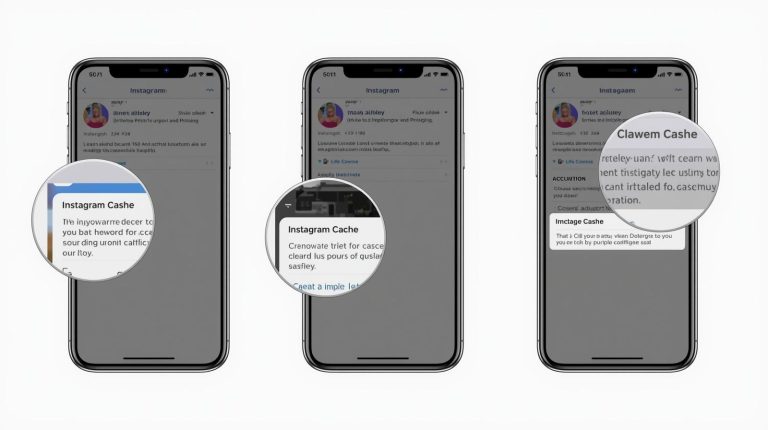
- Clear Cache: Regularly clearing the cache for apps can lead to smoother performance. Cached data can accumulate over time, inadvertently hogging storage resources.
By attending to these aspects of system settings, users can maximize the performance of their devices while prolonging battery life. This not only results in a more responsive experience but also enables you to enjoy your mobile device’s full range of features without the frustration of slowdowns and drop-offs in power. As you implement these strategies, you’ll find your device operating at its best, ready to meet the demands of your busy lifestyle.
| Optimization Aspect | Benefits |
|---|---|
| Resource Management | Improves processing efficiency and reduces unnecessary battery drain. |
| Adaptive Brightness | Automatically adjusts screen brightness, significantly conserving battery life. |
| Cache Management | Clearing cache optimizes storage and speeds up app launches. |
| Background App Refresh | Limiting this feature prevents apps from consuming resources in the background. |
To enhance overall mobile device performance, one must identify crucial optimization aspects that directly impact both speed and battery longevity. Techniques such as intelligent resource management allow devices to operate more efficiently, thereby avoiding excessive battery usage even during peak loads. Utilizing features like adaptive brightness can save power by adjusting screen brightness based on environmental factors, ensuring users retain device visibility without draining their battery reserves. Furthermore, practices such as effective cache management enable devices to run applications smoothly by freeing up valuable storage space, subsequently improving access speeds.Addressing the issue of unnecessary app activity is critical. By limiting background app refresh capabilities, users can significantly extend their device’s battery life. Each optimization strategy not only enhances performance but also cultivates a more reliable user experience, inviting readers and tech enthusiasts to delve deeper into the world of mobile device optimization.
DISCOVER MORE: Click here to learn about the impact of animation on user experience
Optimizing Hardware Utilization
While system settings play a significant role in enhancing your mobile device’s performance and battery life, the hardware elements of your device are equally critical. Understanding how to maximize the efficiency of your device’s hardware can lead to substantial improvements. Below are several essential strategies:
Power Management Features
Most mobile devices come equipped with built-in power management features that can intelligently extend battery life. Familiarize yourself with these features, which often include:
- Battery Saver Mode: Activating battery saver modes can significantly reduce background activity, limit app processes, and restrict connectivity features that are not in use, all while preserving essential functionalities. The impact can be especially noticeable during extended periods away from a charger.
- Adaptive Brightness: Adjusting your screen brightness based on your ambient surroundings can make a remarkable difference. Enabling adaptive brightness allows the device to automatically adjust the screen brightness, consuming less power without sacrificing visual clarity.
Managing Connectivity Options
Wireless connectivity options, such as Bluetooth, Wi-Fi, and mobile data, enjoy an essential role in everyday mobile operations but can also be substantial battery drainers. Keep these tips in mind:
- Turn Off Unused Features: If you’re not using Bluetooth or NFC, ensure these settings are turned off. They continually search for connections and can deplete battery life rapidly
- Wi-Fi Optimization: When outside of Wi-Fi coverage, mobile data can drain power. To avoid unnecessary battery consumption, turn off mobile data when it’s not needed, or set your device to not search for Wi-Fi networks when you are not connected.
Smart App Management
Not all applications share the same efficiency regarding resource consumption, so monitoring and managing apps on your device can lead to noticeable improvements in both performance and battery life. Consider these proactive approaches:
- Uninstall Unnecessary Apps: Regularly audit the apps on your device. Removing applications that you rarely use can free up storage and reduce clutter that can slow down your device.
- Use Lite Versions of Apps: Many popular applications offer “lite” versions that consume less data and resources, perfect for those with limited storage or battery life constraint. These apps are designed to perform essential functions while minimizing the device’s load.
- App Notifications Control: Modify or disable notifications for apps that constantly ping your device. Not only does this reduce distractions, but it also minimizes the battery drain caused by frequent vibrations or screen wake-ups.
By optimizing hardware utilization, you can significantly improve your mobile device’s longevity and performance. Staying aware of your power management settings, connectivity use, and overall app efficiency cultivates a seamless experience that stands the test of time in our swiftly moving digital environment. Investing time in understanding these hardware elements will pay off in your day-to-day usage, allowing your mobile device to serve you better without the constant worry of it dying on you unexpectedly.
DISCOVER MORE: Click here to enhance your understanding
Conclusion
In the rapidly evolving world of technology, mobile device optimization stands as a critical aspect of user experience, influencing performance and battery longevity. As we’ve explored, paying attention to system settings, managing connectivity, and optimizing hardware utilization can significantly enhance how your device functions daily. By activating battery saver modes, utilizing adaptive brightness, and managing wireless connections, users can extend their device’s lifespan throughout the day, preventing the frustration of unexpected disconnections or slow performance.
Moreover, smart app management plays an indispensable role in optimizing device functionality. Uninstalling apps that go unused and embracing lite versions can lead to a cleaner, more efficient interface that conserves resources. By making these small adjustments, users will notice noticeable enhancements in responsiveness, ultimately leading to a seamless mobile experience.
The knowledge gained from implementing these best practices will not only keep your mobile device operating at peak performance but also allow for a deeper understanding of how technology can meet your lifestyle demands. As we continue to depend on our devices for a variety of tasks, investing time into their optimization becomes imperative. As such, these simple yet effective strategies will encourage you to take control of your mobile experience, ensuring that your device remains a reliable companion through every challenge it meets in today’s fast-paced digital landscape.