How to Free Up Storage Space and Improve Your Device’s Performance
Understanding Storage Limitations
The issue of running out of storage space is all too familiar for many users, particularly in a landscape where smartphones, tablets, and computers serve as essential tools for both personal and professional activities. Limited storage can lead to a noticeable slowdown in device performance, affecting everything from app loading times to system responsiveness. When your device is cluttered with unnecessary files and apps, you may encounter frustrations like delayed access to important documents, interrupted multimedia playback, or even failure to install crucial updates.
However, there are numerous practical solutions that can alleviate these issues and significantly improve your device’s functionality. By taking proactive steps, you can reclaim valuable storage space and optimize your device’s overall performance. Here’s a deeper look into some effective methods to consider:
Delete Unused Apps
It’s common for users to accumulate a variety of apps over time, many of which may never be used. Regularly reviewing your app library can help you identify those you no longer need. For example, if you’ve downloaded fitness tracker apps but have since lost interest in tracking workouts, removing them can free up gigabytes of precious storage. Simply tapping and holding an app icon on most devices allows for quick uninstallation.
Clear Cache and Temporary Files
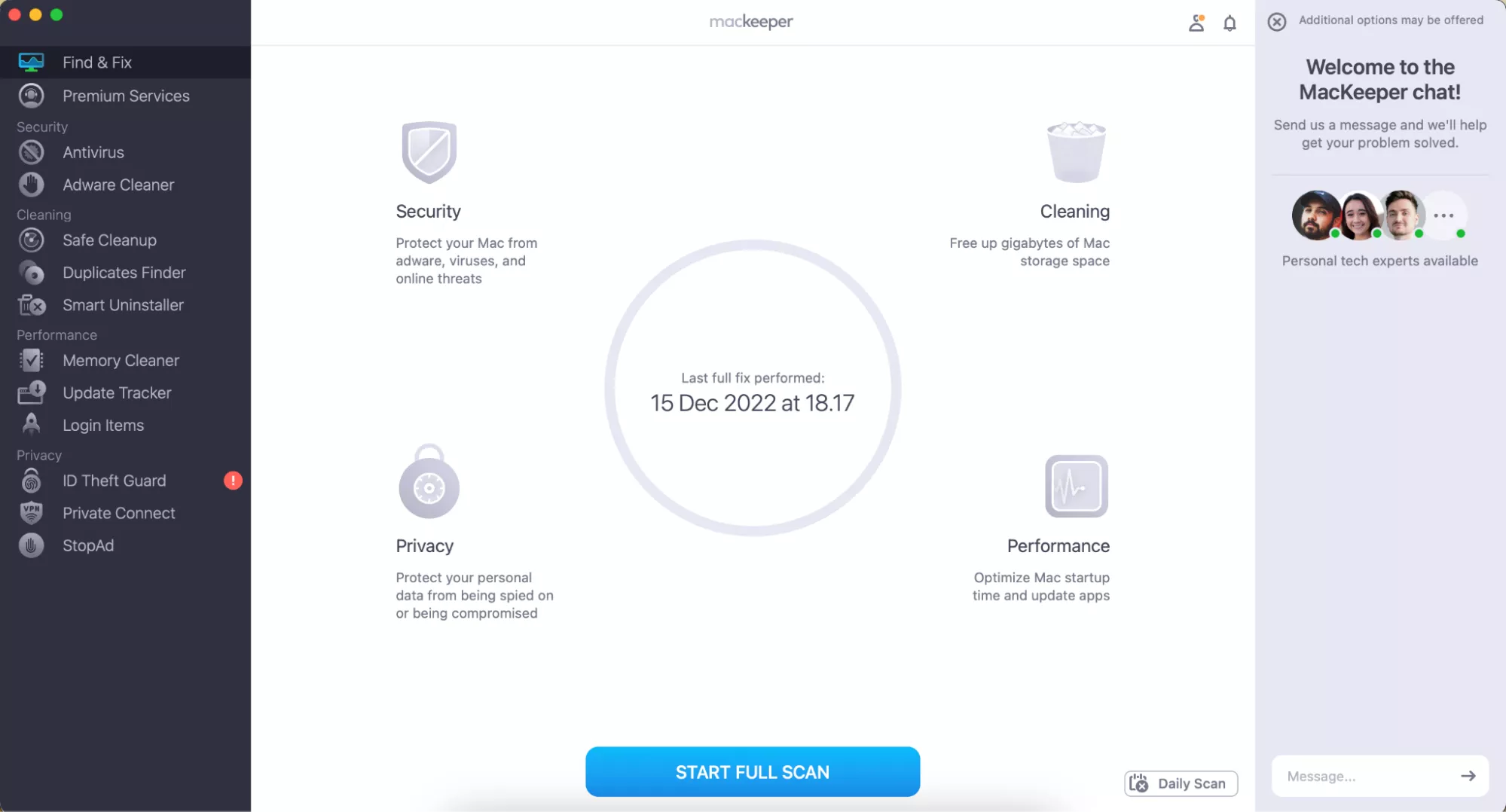
Every time you use an app, it saves temporary files known as cache, which are meant to load frequently-used data faster. Over time, this cache can grow significantly, consuming considerable storage. For instance, web browsers tend to store images and components of pages you visit regularly. By accessing your device’s settings and clearing the cache, you can recover space while also improving your device’s speed. Aim to perform this cleanup regularly—monthly or even bi-weekly—as part of your digital hygiene routine.
Utilize Cloud Storage
One of the most effective ways to manage storage limitations is by leveraging cloud storage solutions. Services such as Google Drive, Dropbox, or OneDrive offer users the ability to store files online rather than on their devices, thus conserving local space. For instance, if you have a collection of photos from recent vacations, consider uploading them to the cloud instead of keeping them on your phone. This not only frees up storage but also provides the added benefit of secure file backup, ensuring your memories are safe even if something happens to your device.
Manage Media
Media files, especially high-resolution photos and videos, can rapidly consume your device’s storage. Regularly managing these files can make a significant difference. Consider compressing images for faster uploading or removing duplicates. Apps like Google Photos can automatically back up your pictures and allow you to delete the originals from your device after uploading. As a result, you’ll maintain a clean and organized media gallery without sacrificing precious storage space.
By embracing these solutions, you not only liberate storage but also create an environment where your device can operate at its peak performance. Failure to address cluttered storage can lead to productivity losses and ongoing frustrations. Recognizing its impact is essential for better device management, allowing you to focus on what truly matters—using your device effectively and efficiently.
Stay tuned as we explore these methods further, detailing new tools and techniques that empower you to make informed decisions about maintaining your devices. With a little attention and care, you can keep your devices running smoothly and efficiently, enhancing your overall digital experience.
DISCOVER MORE: Click here to learn about effective usability testing
Smart Strategies for Storage Management
In the race against storage limitations, understanding how to efficiently manage your device’s memory can lead to significant enhancements in performance. The common pitfall many users face is treating storage as a unused reservoir, accumulating files and apps without consideration of the impact it has on functionality. By implementing intentional strategies, you not only free up critical space but also empower your device to perform better. Below are actionable tips that will transform how you interact with your device.
Prioritize Downloads and Large Files
Our devices overflow with a myriad of downloads, from documents to multimedia files. It’s easy to overlook these accumulated items that predominantly sit unseen. Digging into your download folder can unveil a trove of unnecessary files that are draining storage. Occasionally conducting a thorough review can reveal that you no longer need software installers or cached documents. A smart practice is to:
- Sort files by size to quickly identify the heaviest items.
- Delete files, particularly large videos or presentations that were only needed temporarily.
- Organize important files into dedicated folders for easy retrieval.
Optimize Your Messaging Apps
Messaging applications are notorious for taking up storage through the accumulation of old conversations and media. Attachments such as images, GIFs, and videos can build up quickly, especially in group chats. Here’s how to tackle this issue:
- Regularly review and delete old conversations that you no longer need.
- Set your apps to avoid automatically downloading media, keeping control over what gets saved to your device.
- Consider using built-in storage management tools offered by many messaging apps to assist you in finding and removing large files.
Transfer Files to External Hard Drives
For users who prefer to keep a library of documents, music, or photos locally, external hard drives are a game-changer. They not only provide an easy way to transfer files but also offer a significant storage boost without cluttering your device. A well-organized external drive can serve as a digital archive, allowing you to:
- Enhance accessibility by categorizing files by date or subject.
- Safeguard important documents through redundant backup solutions.
- Enjoy peace of mind knowing that the files you want to keep are not hindering your device’s performance.
By adopting these smart storage management strategies, you can proactively enhance your device’s performance. Freeing up space is not merely about deletion; it’s about thoughtfully curating your digital environment. In the following sections, we will continue to explore more methods that assist in reclaiming your device’s storage and optimizing its efficiency, ensuring that it runs as smoothly as possible.
| Category | Advantages |
|---|---|
| Storage Management | Implementing effective storage management allows users to identify and remove unnecessary files, freeing up critical storage space. |
| Performance Enhancement | Cleaning up storage can lead to significantly improved device performance, as it reduces lag and speeds up applications. |
| System Optimization | Regular updates and maintenance help in optimizing system functions, ensuring a smoother user experience. |
| Data Management Tools | Utilizing data management tools can assist users in automatically deleting files that are no longer needed, thereby saving time and effort. |
Implementing these strategies is essential when striving to understand the nuances of how to free up storage space effectively. By ensuring that the device’s performance remains optimal, users can prolong the life of their devices and enjoy seamless functionality. Engaging in these practices not only enhances the device but also enriches the user experience, making every interaction more efficient.
DISCOVER MORE: Click here to learn how to conduct effective usability testing
Advanced Techniques for Enhancing Storage Efficiency
While the basics of storage management are essential, diving deeper into advanced strategies can significantly optimize your device’s performance. Often, users overlook the potential that lies within the settings and applications they already use. By leveraging these advanced techniques, you can unlock the full potential of your device while ensuring that storage and efficiency are not compromised.
Utilize Cloud Storage Solutions
As technology has progressed, cloud storage has evolved into an invaluable asset for users seeking to maximize their device’s storage capacity. Platforms such as Google Drive, Dropbox, and Microsoft OneDrive offer seamless integrations that allow you to store files off your device while still having access whenever needed. Here are methods to optimize your cloud storage:
- Regularly upload files that are infrequently accessed to prevent local storage saturation.
- Enable selective sync features, ensuring only necessary files and folders are downloaded to your device.
- Take advantage of free storage tiers, but remain vigilant about the limits to avoid unexpected charges.
Manage Applications Wisely
Applications can take up significant storage and resources, especially if they operate silently in the background. A meticulous app management routine not only helps free up space but also prevents your device from experiencing slow performance. Consider the following practices:
- Uninstall apps that you haven’t used in the past 30 days, as often these are forgotten digital clutter.
- Utilize built-in tools on your device that identify unused applications and provide recommendations for uninstallation.
- Clear cache data from apps, particularly those that handle content like social media and web browsers, where cached data can accumulate rapidly.
Regularly Update Your Operating System
Many users tend to postpone software updates, often believing they’re an inconvenience. However, keeping your device’s operating system (OS) up-to-date is crucial not just for security but also for performance and efficiency. Updates can optimize storage management features that improve overall device handling. Take note of the following:
- Enable automatic updates to ensure your system always benefits from the latest improvements without manual intervention.
- Check for updates regularly; sometimes, minor updates can fix storage inefficiencies or bugs that slow down your device.
- Familiarize yourself with new features that may enhance your ability to optimize storage and improve your device’s overall functionality.
Embrace Digital Decluttering
Just as we manage physical spaces, our digital environments also require regular decluttering. Failing to do so can lead to a chaotic storage situation impacting device performance. To effectively declutter your device:
- Establish a routine for reviewing your digital assets, similar to spring cleaning, where you assess different sections of your storage systematically.
- Use specialized apps that help streamline the decluttering process by identifying duplicate files and suggesting the removal of unnecessary items.
- Engage in periodic digital detoxes, where you limit use of certain apps that suck up resources and contribute to storage bloat.
Engaging in these advanced storage management techniques will not only assist in freeing up valuable space but will also pave the way for an efficiently running device. As you continue exploring and refining your approach to digital storage, remember that making informed decisions about your files and apps can cultivate better device performance and longevity.
DISCOVER MORE: Click here to learn how to conduct effective usability testing
Final Thoughts on Optimizing Storage and Performance
In an age where digital clutter can impede our device’s efficiency, implementing effective strategies to free up storage space and enhance performance is critical for a seamless user experience. With the explosion of digital content—think photos, videos, apps, and documents—devices can quickly become overwhelmed. For instance, a typical smartphone user is estimated to store around 3,000 photos, 150 apps, and a variety of files that can fill up storage in no time. This is where methods such as embracing cloud storage solutions come into play. Platforms like Google Drive, Dropbox, and iCloud not only help alleviate the storage burden but also provide easy accessibility across multiple devices, ensuring your important files are always at your fingertips.
Moreover, judiciously managing applications plays a vital role in optimizing device performance. Regularly reviewing your installed apps allows you to identify those that are rarely used or no longer serve a purpose. For instance, uninstalling unused games or social media apps can free up significant amounts of space and improve your device’s speed, reducing lag and enhancing responsiveness. Additionally, keeping your operating system updated is crucial as these updates often include performance enhancements, security patches, and storage optimization improvements that can make your device run smoother.
As technology continues to advance, keeping a pulse on storage management techniques will empower you to stay ahead of potential pitfalls. Consider engaging in routine maintenance such as clearing cache files, reviewing download folders, and organizing digital files into easily navigable structures. These practices ensure your device operates at its peak efficiency while also extending its lifespan, offering you years of reliable service.
Ultimately, understanding the balance between storage and performance is essential. With a plethora of tools and strategies at your disposal, you can confidently navigate your digital landscape, eliminating inefficiencies and enhancing productivity. A well-maintained device not only increases your efficiency but also contributes to a more enjoyable experience, whether you’re working, gaming, or simply browsing the web. So, take charge today: assess your storage situation and make informed choices that lead to a more organized, efficient, and high-performing device.