Best Practices to Optimize Your Mobile Device’s Battery
Unlocking the Secrets to Longer Battery Life
In an age where our mobile devices are our constant companions, a drained battery can throw a wrench in our daily activities. The frustration of searching for an outlet becomes all too familiar. However, optimizing your mobile device’s battery life doesn’t have to be a daunting task. With a few simple adjustments, you can significantly extend your battery’s performance and keep your device operational for longer periods. Let’s explore some practical strategies to help you achieve this.
Adjusting Your Screen Brightness
One of the most effective ways to prolong battery life is by managing your screen brightness. Mobile screens consume a considerable amount of energy, especially on bright settings. Consider using the auto-brightness feature, which adjusts the screen brightness based on ambient light. Alternatively, manually lowering the brightness to a comfortable level can yield substantial energy savings. For instance, reducing brightness from 100% to 70% can increase battery life by as much as 20% depending on usage.
Managing Background Apps
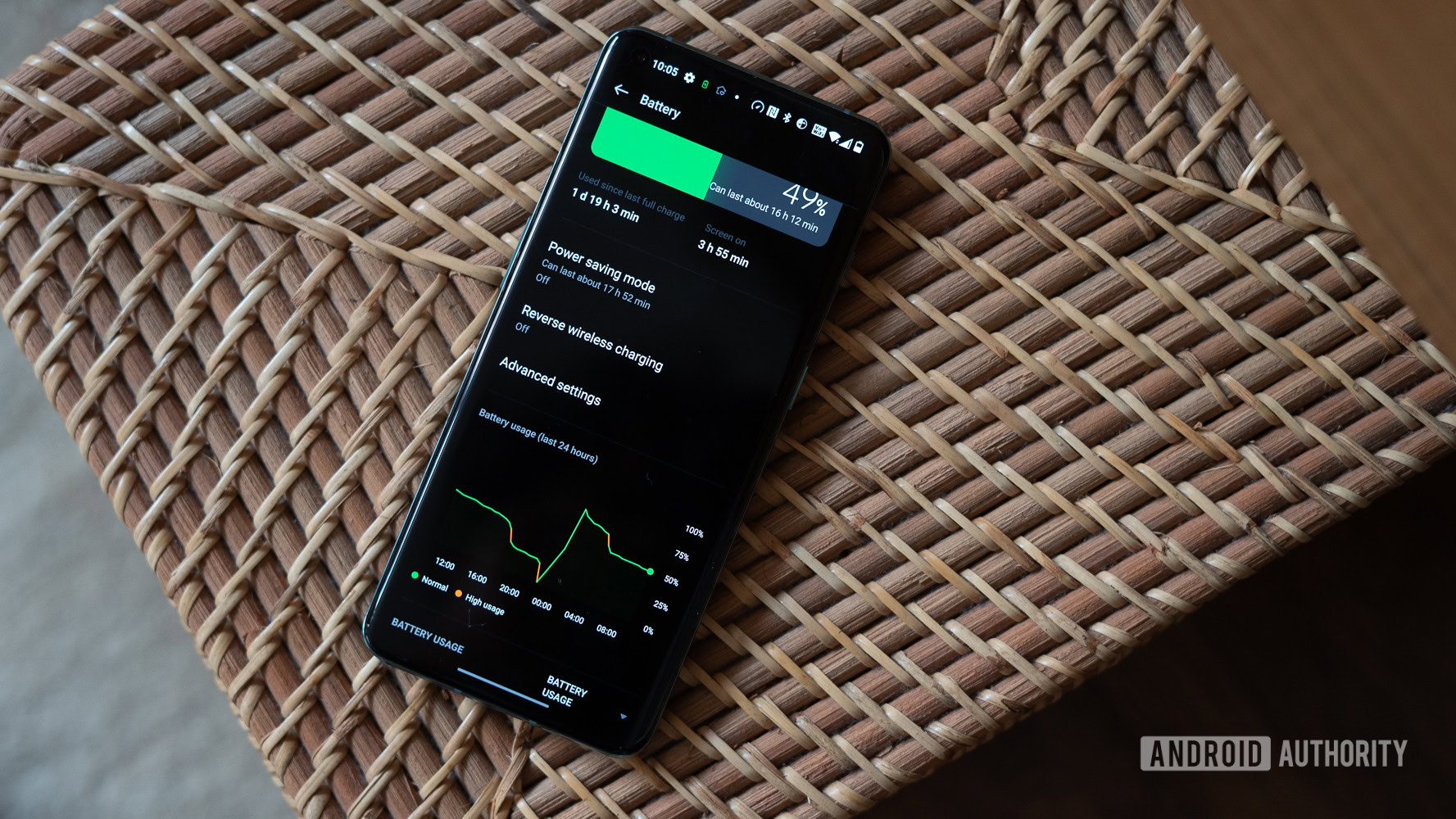
Many apps continue to run in the background even when not in use, draining the battery without your knowledge. To combat this, regularly check activity in your settings and close apps that you’re not actively using. Additionally, on devices like iPhones or Androids, you can access battery settings to see which apps consume the most energy. This knowledge empowers you to make informed choices about which apps to minimize or uninstall, optimizing your device’s battery life.
Utilizing Battery Saver Modes
Most modern smartphones come equipped with a battery saver mode designed to extend battery life when you’re on the verge of running out of power. These modes often limit background activity, reduce screen brightness, and disable certain features to conserve energy. Activating battery saver mode can extend battery life significantly during crucial moments when you need that extra push to last through the day. It’s a feature worth utilizing during long traveling days, especially when navigating an unfamiliar city or during a busy workday.
Keeping Software Up to Date
Updating your mobile device’s software is not just about new features; it often includes vital patches that improve battery performance. Manufacturers continually refine their software algorithms to enhance energy efficiency. Make it a habit to check for and install updates regularly. This can lead to better optimization and, consequently, longer battery usage, ensuring you’re always operating on the most efficient version available.
Disabling Unnecessary Connections
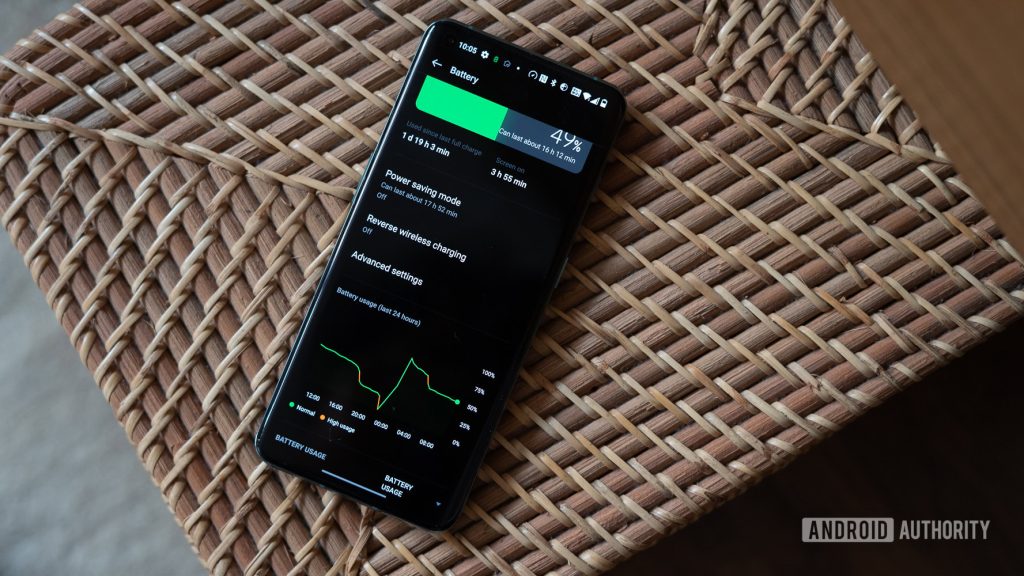
Bluetooth, Wi-Fi, and GPS are essential connectivity features of modern smartphones, but leaving these connections on when not in use can swiftly deplete your battery. Whenever you leave your home or office, remember to turn off Bluetooth and Wi-Fi if you’re not connecting to any devices or networks. Similarly, GPS should only be active when necessary, such as when using navigation apps. By toggling these features off, you can significantly increase your battery’s longevity, ensuring you stay connected and powered throughout your day.
Every bit of extra battery life can make a significant difference, especially for users on the go. By implementing these strategies, you can boost your device’s efficiency and enjoy uninterrupted use throughout the day. Small changes indeed lead to remarkable improvements in your mobile experience, paving the way for a more seamless integration of technology into your daily life. Don’t let a dying battery hinder your connectivity—take charge and optimize your device today!
DISCOVER MORE: Click here to learn about effective usability testing
Practical Steps for Maximizing Battery Efficiency
With mobile devices playing an essential role in our lives, understanding how to conserve battery life is not just a useful skill—it’s a necessity. Beyond mere annoyances, a drained battery can interrupt important communications, limit productivity, and negatively impact your overall mobile experience. Thankfully, various best practices can help optimize your mobile device’s battery and keep you connected when you need it most. Let’s dive into some of these effective strategies.
Limiting Push Notifications
Push notifications can be a significant drain on battery life, as they require constant communication between your device and the internet. Consider reducing the number of apps that send you alerts. Going into your device’s settings, you can individually manage these notifications. By turning off notifications for less crucial apps, you reduce the frequency of background updates, thereby saving precious battery life. Not only does this optimization help conserve energy, but it also reduces distractions, enhancing your overall focus.
Choosing Battery-Friendly Apps
In the vast sea of applications available today, some are far more battery-efficient than others. Research has shown that gaming and video streaming apps are notorious for draining battery life because of their heavy resource usage. Before downloading an app, consider looking for user reviews or online resources that highlight battery impact. Even within your existing apps, assess which ones contribute most to battery drain—this can often be found in the “Battery Usage” section of your settings. If you find that certain apps are consistently hogging your battery, consider alternatives that provide similar functionality with less impact.
Turning Off Visual Effects and Animations
Many mobile operating systems come with numerous visual effects and animations that enhance user experience but can also consume significant power. Features like live wallpapers, widgets, and elaborate transitions can be visually appealing, but they require additional processing power, utilizing more battery. To optimize your device’s efficiency, consider simplifying your home screen by minimizing these features. Switching to a static wallpaper and turning off animations can result in surprising improvements in battery longevity, particularly for older devices.
Managing Location Services
Location services are invaluable for navigation and various application functionalities; however, leaving them active at all times can severely deter battery life. Under your settings, you can manage which apps require location access and when they have permission to use it. Opt for the “While Using” setting instead of “Always” for apps like social media or weather, which need location information only when actively in use. This simple adjustment can preserve battery significantly, allowing for enhanced daily usage without sacrifices.
- Review background app activity regularly
- Limit push notifications from non-essential applications
- Utilize static wallpapers and reduce visual effects
- Adjust location settings to save battery
Implementing these battery optimization techniques doesn’t just enhance your device’s performance; it fosters a more seamless technological experience in your everyday routine. Whether it’s staying connected with loved ones, navigating a new area, or managing work tasks, these measures will enable you to do so without the constant worry of running out of power. Embrace these best practices to ensure your mobile device remains a reliable ally throughout your day!
| Optimization Tips | Benefits |
|---|---|
| Reducing Screen Brightness | Less battery consumption, prolongs usage time. |
| Limiting Background Apps | Frees up resources, enhances performance. |
| Enabling Battery Saver Mode | Extends battery lifespan, maintains essential functions. |
| Uninstalling Unused Apps | Reduces load, cuts down on unnecessary updates. |
| Regular Software Updates | Bug fixes improve efficiency, enhance features. |
Implementing these best practices allows you to maximize your device’s energy efficiency in a world where our smartphones are essential tools. From managing display settings to uninstalling apps you no longer use, each suggestion provides a practical approach to prolonging the operational time of your battery.Moreover, using the Battery Saver Mode is an effective way to prioritize essential functions while cutting down on power usage, ensuring you stay connected even during long days. With the constant development of mobile technology, regular software updates not only offer new features but also address potential bugs that could be draining your battery unknowingly.While these practices may seem simple, their cumulative impact can significantly enhance your mobile experience, preventing the dreaded battery anxiety many users encounter throughout the day. By incorporating these strategies into your routine, you enable your device to perform efficiently, allowing you to focus on what truly matters—staying connected and productive.
DISCOVER MORE: Click here for essential tips
Advanced Techniques to Enhance Battery Longevity
As we navigate a technology-driven world, optimizing your mobile device’s battery life has become an essential aspect of our daily routines. While the basic tips have laid a solid foundation, there are advanced techniques that will profoundly extend your device’s battery longevity. Understanding these methods will empower you to maintain seamless connectivity and productivity without the daunting fear of a dying battery.
Utilizing Battery Saver Mode
Most modern smartphones come equipped with a Battery Saver Mode that can be activated to automatically reduce the device’s performance and limit certain functions to preserve battery life. Enabling this feature when your battery dips below a certain percentage can lead to significant benefits. Users can customize settings to allow essential apps to run while throttling background processes, ensuring you can still access important notifications without depleting energy. Check your specific device settings to activate and personalize this mode according to your preferences.
Updating Software Regularly
It may sound simple, but regularly updating your mobile operating system can dramatically improve battery efficiency. Developers continuously optimize apps and operating systems to be more battery-friendly, fixing bugs that may lead to excessive battery drain. Ensure that you have automatic updates enabled or make a habit of manually checking for updates. Not only will this keep your device running the latest features, but it will also help you maximize battery performance along the way. Statistics indicate that users maintaining updated software generally experience up to 20% more battery life than those who lag behind.
Managing Background App Refresh
While many applications play an important role in our daily tasks, many also run in the background, updating content and consuming valuable battery life without our knowledge. Take a moment to explore the settings of your favorite apps and disable Background App Refresh where unnecessary. By allowing only essential applications, such as your email or messaging apps, to update in the background, you can preserve battery while optimizing performance. Be sure to regularly review which apps are permitted to refresh, as new updates or uses can often change battery consumption patterns.
Monitor Your Battery Health
Understanding the health of your battery is crucial for maintaining optimal performance. Most smartphones offer a built-in feature that provides insights into your battery’s health status. This information can help identify potential issues, such as whether the battery is degrading or if certain apps are impacting performance disproportionately. If your battery health falls below a certain threshold, consider visiting a service center for a battery replacement, as this can result in substantial enhancements to your device’s overall efficiency.
Investing in Quality Accessories
The type of chargers and cables you use can also impact your device’s battery health. Invest in reputable brands or official accessories to ensure you’re charging your device efficiently. Using off-brand chargers may result in slower charging, increased heat, and even damage to your battery over time. Make sure to research compatibility and read reviews on the charging accessories you are purchasing to avoid any undesirable effects. Utilizing high-quality accessories provides a solid foundation for maintaining battery health and performance.
- Activate Battery Saver Mode during low power situations
- Keep your device software updated for optimal performance
- Limit Background App Refresh to decrease battery drain
- Regularly check battery health and consider replacements when needed
- Choose quality charging accessories to enhance battery longevity
By integrating these advanced techniques into your mobile battery management routine, you can enjoy prolonged usage, allowing you to maximize productivity and stay connected throughout the day. Whether you rely on your device for professional tasks or personal interactions, understanding these best practices will enable you to adeptly navigate your smartphone usage while keeping battery concerns at bay.
DIVE DEEPER: Click here to learn about effective usability testing
Conclusion: Mastering Mobile Battery Management
In an era where our mobile devices are integrated into nearly every aspect of our lives, mastering the art of battery management is not just a luxury but a necessity. Implementing best practices to optimize your mobile device’s battery can revolutionize how you interact with your technology, extending usage and reducing anxiety over dwindling battery levels. From activating Battery Saver Mode during critical moments to diligently managing Background App Refresh, every small adjustment contributes to a more efficient device.
Furthermore, regularly updating your device’s software enables you to benefit from the latest enhancements aimed at increasing battery performance, which has shown that staying current can boost life by up to 20%. Coupled with regular monitoring of battery health and making informed decisions on quality accessories, you’re setting the stage for long-term optimization and reliability.
As you embark on this battery-boosting journey, consider how these practices not only sustain your device’s daily functionality but also contribute to a more sustainable tech environment. By understanding the intricate workings of your smartphone’s power management, you open doors to a world of possibilities, allowing for uninterrupted productivity and connection.
In conclusion, the effective management of your mobile device’s battery hinges on your willingness to adopt and adapt these strategies. So take charge, implement these techniques, and elevate your mobile experience—because a well-managed battery is the key to unlocking the full potential of your device.