Best Interface Design Practices to Improve User Experience in Mobile Applications
Understanding Interface Design in Mobile Applications
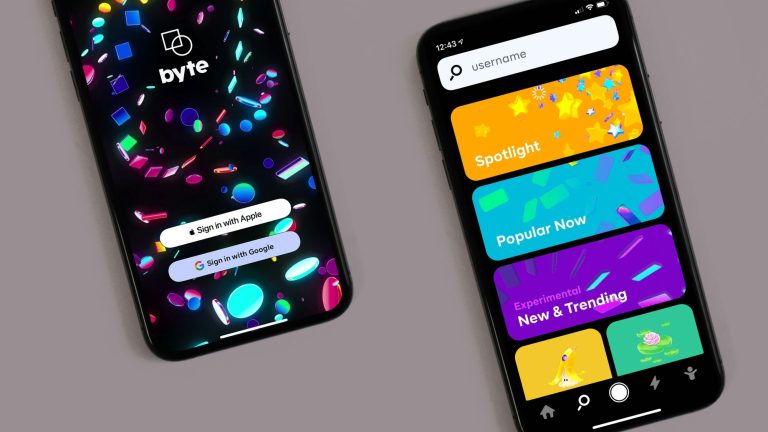
In today’s rapidly evolving digital landscape, the manner in which users engage with mobile applications can significantly influence their overall experience. With millions of applications available across platforms like iOS and Android, it is imperative for developers and designers to grasp the intricacies of interface design. Crafting an app that not only captures users’ attention but also delivers a seamless experience requires a deep understanding of design principles.
The Intersection of Aesthetics and Functionality
While the visual appeal of an app is undoubtedly important, effective interface design extends well beyond mere aesthetics. It incorporates critical elements of functionality and usability that can either enhance or detract from the user experience. Consider the following fundamental principles that can significantly raise the bar for any application.
- Simplicity: A clean and intuitive layout is essential. By minimizing clutter, users can focus on the tasks at hand without feeling overwhelmed. For example, apps that employ a minimalist approach, such as Apple’s Notes app, allow users to quickly access features without unnecessary distractions.
- Consistency: Uniformity in design elements, such as colors, fonts, and buttons, creates a coherent experience. For instance, Google’s suite of applications maintains a consistent design language that allows users to easily transition between different apps without learning new interfaces each time.
- Responsive Design: With an array of devices on the market, it’s crucial that apps function flawlessly on various screen sizes. An app optimized for both smartphones and tablets ensures that users have a positive experience regardless of how they access the content. Instagram is a prime example, as it adapitates its layout seamlessly across different devices.
- User Feedback: Providing immediate feedback is vital when users perform actions, such as pressing buttons or submitting forms. Visual indicators, like changing colors or loading animations, signal to users that their actions have been recognized. This fundamental interaction can significantly enhance user confidence within the app.
The Impact of Design on User Retention
Research indicates that subpar design can lead to a staggering 70% drop-off rate among users, emphasizing the importance of implementing optimal design strategies. When users encounter frustration or confusion, they are more likely to abandon the app altogether. Therefore, emphasizing the user journey through thoughtful design choices not only enhances usability but also fosters loyalty and satisfaction.
For instance, successful applications like Spotify have mastered user engagement through thoughtful interface design, ensuring that users can easily discover new music, create playlists, and navigate through their preferences. This attention to detail not only retains users but also drives them to explore more of what the app offers.
Ultimately, as the digital world continues to grow, the demand for effective interface design will only increase. By prioritizing the user experience through simplicity, consistency, responsiveness, and feedback, app creators can not only enhance satisfaction but also solidify their presence in a competitive marketplace. To explore further, consider researching case studies of renowned applications that exemplify these principles, as they provide invaluable insights into successful mobile design strategies.
Key Elements of Effective Mobile Interface Design
The foundation of exceptional mobile interface design lies in understanding and implementing core elements that cater to user behavior and preferences. Recognizing that an intuitive and engaging user experience is essential for app success, designers must focus on several best practices that can lead to improved usability and satisfaction. The following elements are crucial in crafting a user-friendly mobile application:
- Intuitive Navigation: Users should effortlessly navigate through applications without confusion. Implementing a straightforward navigation structure enhances usability. Common practices include utilizing bottom navigation bars or hamburger menus that are familiar to most users. The popular app Airbnb exemplifies this by using a tab-based interface that streamlines access to various sections such as search, saved listings, and user profiles, thereby simplifying the user journey.
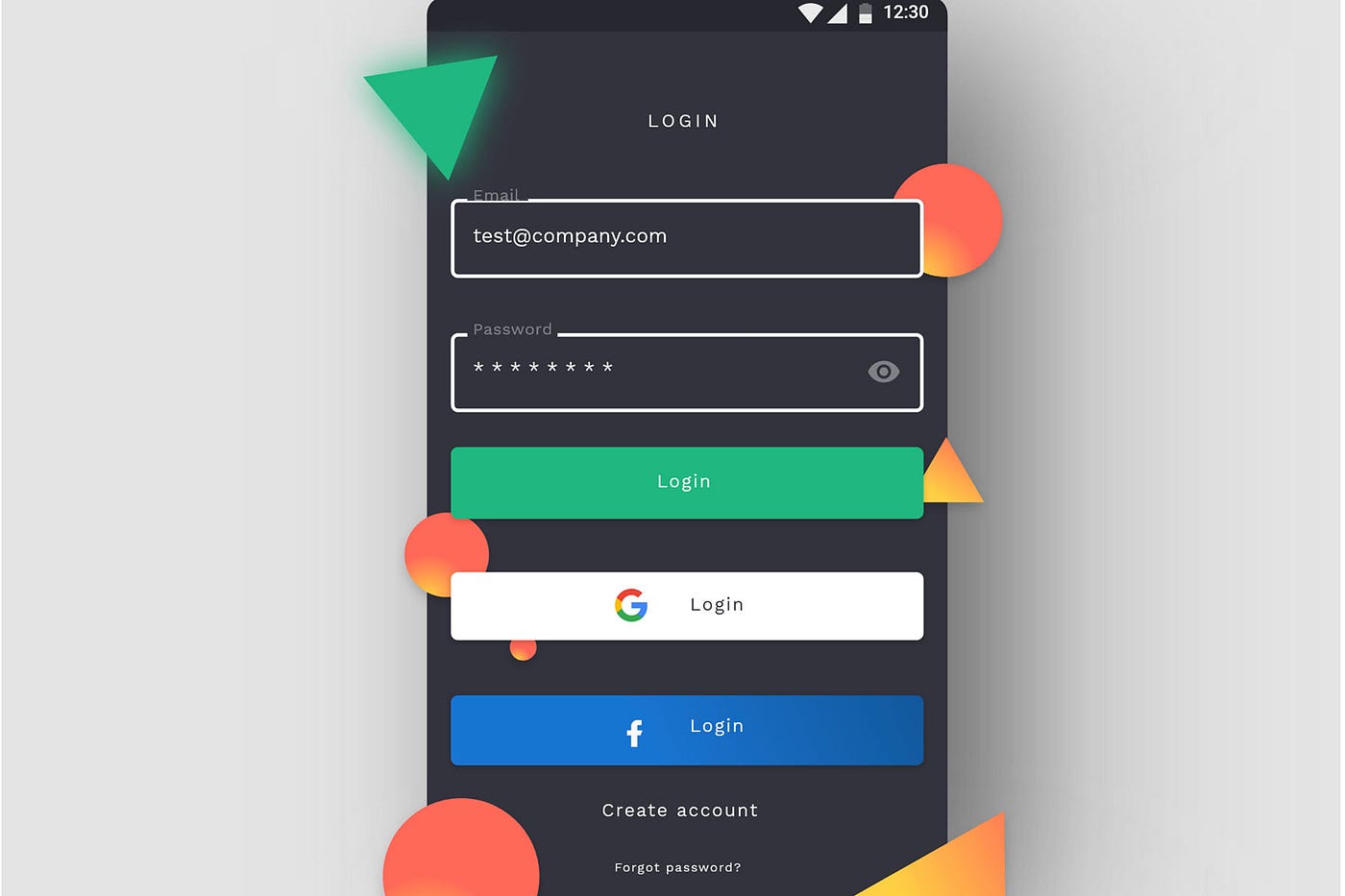
- Visual Hierarchy: Establishing a clear visual hierarchy guides users’ eyes to the most critical elements on the screen. By varying font sizes, colors, and spacing, designers can direct attention while promoting ease of use. For instance, major call-to-action buttons, such as “Sign Up” or “Buy Now,” should stand out distinctly from supporting text, ensuring users can make decisions quickly and intuitively.
- Touch-Friendly Design: Mobile users interact through touch, making it essential for buttons and clickable areas to be adequately sized and spaced. Research suggests that the optimal touch target size is around 44×44 pixels. This consideration is vital to reduce errors and enhance the overall experience, especially in apps that require frequent user input, like mobile banking applications.
- Color Palette and Typography: A well-crafted color palette not only enhances aesthetic appeal but also impacts user emotions and engagement. For example, an app targeting a young audience might use bright, vibrant colors, while a professional application may lean toward muted tones. Additionally, consistent typography that reflects the brand voice fosters familiarity and comfort, making content more digestible.
- Accessibility Features: Designing for inclusivity should be a priority. Incorporating accessibility best practices, like adjustable text sizes, high-contrast color schemes, and screen reader compatibility, ensures that all users, including those with disabilities, enjoy a positive experience. Apps like Google Maps have made significant strides in accessibility by providing voice navigation and detailed information about public transport routes.
Incorporating these key elements not only enhances the user experience but also plays a pivotal role in driving user retention and satisfaction. By continually adapting to user feedback and evolving trends in mobile design, developers and designers can create applications that not only meet user needs but also stand out in an increasingly competitive market.
The Role of User Testing in Design Iteration
User testing serves as an indispensable tool in the interface design process. Engaging real users allows designers to gather insights into how individuals interact with their applications—highlighting areas for improvement and affirming successful features. Conducting usability tests early and often can pinpoint potential pitfalls and ensure the application meets the expectations of its target audience. Without user involvement, design decisions may be detached from actual user experiences, making it vital to prioritize this aspect for sustained app success.
| Design Principles | User Benefits |
|---|---|
| Responsive Layouts | Lead to enhanced accessibility across various devices. |
| Consistent UI Elements | Facilitate familiarity and ease of navigation, reducing cognitive load. |
| Intuitive Navigation | Promotes efficient task completion and positive user emotions. |
| Clear Calls to Action | Encourage user engagement and higher conversion rates. |
The design of mobile applications greatly influences their usability and overall user experience. By implementing key design practices, developers can craft applications that resonate with users on a deeper level. For instance, a responsive layout ensures that content is displayed optimally, regardless of screen size, thus enhancing accessibility. Moreover, maintaining consistent UI elements can provide users with a sense of familiarity and comfort, making navigation intuitive rather than tedious.Equally important is achieving intuitive navigation. Users are less likely to abandon an app if they can seamlessly accomplish tasks without confusion. Integration of clear calls to action can further drive engagement, leading to improved business outcomes. By focusing on these design principles, mobile applications not only meet but exceed user expectations, fostering loyalty and encouraging repeat usage. Exploring these aspects will unveil a myriad of benefits, eager to be discovered by developers and designers alike.
Creating Engaging User Interactions
Enhancing user interactions within mobile applications is a critical aspect of interface design that plays a significant role in overall user experience. A well-orchestrated interaction fosters deeper engagement and satisfaction, ultimately contributing to user retention. To achieve this, developers and designers are encouraged to consider several impactful practices that create memorable and meaningful user engagements:
- Microinteractions: These subtle, small-scale animations or design elements enhance the user experience by providing feedback or guiding users through processes. For example, a button that slightly changes color when pressed or emits a brief animation upon completion of a task offers users a sense of accomplishment and responsiveness. Apps like Slack use microinteractions effectively to provide users with immediate feedback on their messages, which keeps interactions lively and engaging.
- User-Centric Personalization: Leveraging user data to tailor the experience can significantly boost satisfaction. By analyzing user behavior and preferences, designers can create a more individualized approach, presenting users with content, features, or layouts that resonate with their needs. Spotify exemplifies this by curating personalized playlists based on listening history, heightening user engagement and enjoyment.
- Seamless Onboarding Experiences: The onboarding process is crucial for user retention. If users feel overwhelmed or misunderstood during their initial engagement, they may abandon the app. Implementing a guided onboarding process with clear, concise instructions and usage prompts can facilitate a smoother transition into the app’s functionalities. An exemplary case is Duolingo, which uses interactive onboarding to familiarize users with its language-learning platform quickly.
- Consistent Updates and Iterative Improvements: The mobile application landscape is ever-evolving; therefore, keeping an app fresh and up-to-date is crucial. Regular updates not only fix bugs but also introduce new features driven by user feedback. Moreover, adopting an agile design process enables teams to iterate quickly based on real-world usage and user testing. Apps such as Instagram thrive on frequent updates, consistently introducing new features to keep users engaged.
- Utilizing Gestures for Navigation: Gestures like swiping, pinching, and tapping provide intuitive ways for users to interact without cluttering the screen with buttons. Implementing gesture controls can streamline navigation and provide a more immersive experience. For example, dating apps such as Tinder employ a simple swipe gesture to improve engagement, making it easier for users to browse profiles quickly.
By focusing on creating engaging interactions, applications can dramatically improve user satisfaction and retention. Companies that prioritize user experience and adopt these practices not only help users feel more in control and connected with their apps, but they also set themselves apart in the competitive mobile app landscape.
The Importance of Cross-Platform Consistency
In today’s diverse mobile ecosystem, ensuring cross-platform consistency is essential for delivering a seamless user experience. Users expect to transition smoothly between different devices—be it smartphones, tablets, or desktops—and maintaining consistent design elements enhances familiarity. Developers should prioritize the following practices to achieve cross-platform harmony:
- Unified Design Systems: Establishing a comprehensive design system that includes guidelines for color schemes, fonts, and component behavior across platforms helps maintain uniformity. This practice not only streamlines development but also provides users with a cohesive experience regardless of the device they use. Applications like Microsoft Office use a uniform design ethos across Windows, iOS, and Android, allowing users to navigate with ease.
- Adaptive Layouts: Effective use of adaptive layouts ensures an application is responsive and functional on various screen sizes. Adopting techniques like fluid grids and flexible images enables the design to adapt seamlessly, enhancing usability on both small smartphones and larger tablets. This practice is vital in platforms like e-commerce, where users switch between devices frequently during their shopping journey.
Through rigorous attention to cross-platform consistency, designers can cultivate a holistic user experience, making it easier for users to engage with and trust their applications across different devices.
DIVE DEEPER: Click here to enhance your usability testing skills
Conclusion
In the competitive realm of mobile applications, the significance of interface design practices cannot be overstated. As users become increasingly accustomed to seamless interactions and rich experiences, developers must embrace a multifaceted approach to improve user experience. This article has highlighted essential strategies, including microinteractions, user-centric personalization, seamless onboarding experiences, consistent updates, and the utilization of gestures for navigation. Adopting these practices promotes deeper engagement, enhances satisfaction, and fosters user retention.
Furthermore, ensuring cross-platform consistency is imperative in today’s diverse technology landscape. A unified design system and adaptive layouts allow users to navigate effortlessly across devices, nurturing familiarity and trust in the application. As mobile device usage continues to evolve, it will be essential for developers and designers to remain agile, leveraging user feedback and analytics to iterate and optimize their interfaces continually.
Ultimately, investing in best interface design practices not only elevates the user experience but also provides a competitive edge within the mobile app marketplace. Companies that prioritize these elements will likely see increased user satisfaction, loyalty, and growth. By addressing the ever-changing expectations of users, the future of mobile applications is poised to be as dynamic and engaging as the technology itself. To stay ahead, stakeholders must commit to a user-centered approach, unlocking the full potential of their applications and creating experiences that resonate with their audience.